
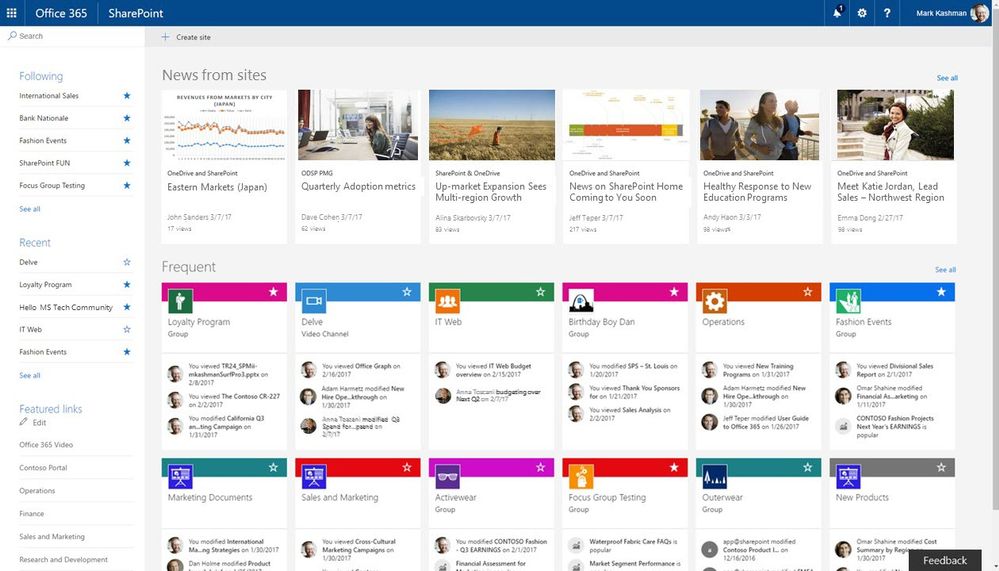

SharePoint for Office 365 Site Owners Training
2 days (10:00 AM - 5:00 PM Eastern)
$750.00
Register for a live online class.
Details
Subjects Covered
Prerequisites
Setup Requirements
Details
Course Details
This course offers participants a deep dive into the robust capabilities of SharePoint within the Office 365 environment. From foundational overviews to intricate site management tasks, this course covers the spectrum of site ownership. Participants will gain hands-on experience in crafting sites, managing content, utilizing advanced features like Power Automate, and optimizing their SharePoint environment for collaborative efficiency.
Subjects Covered

SharePoint for Office 365 Site Owners
Understanding SharePoint
- Starting and Accessing SharePoint
- SharePoint Launch Page
- What is SharePoint?
- Team Sites
- Communication Sites
- Site Permissions
SharePoint Sites
- Creating a Site
- Applying a Template
- Viewing Site Template History
- Updating Site Title, Description, and Logo
- Customizing the Theme
- Customizing the Navigation
- Modifying Navigation Content
- Sharing a Site
- Deleting a Site
Pages, Sections, and Web Parts
- Understanding Pages
- Adding Pages
- Promoting a Page
- Sections and Columns
- Adding a Section Layout
- Editing a Section Layout
- Web Parts
- Adding, Moving, and Deleting Web Parts
Lists
- Overview of Lists and Libraries
- Adding a List
- Understanding and Adding Columns
- Types of Columns
- Editing and Deleting Columns
- Setting Column Indexes
- Adding Items (Single List Item vs. Grid View)
- Creating a View
- Importing an Excel File
- Editing List Settings
Using Document Libraries
- Adding a Document Library
- Adding Documents
- Modifying and Editing Documents
- Version Control
- Viewing, Restoring, and Deleting Versions
- Co-Authoring
- Checking In and Checking Out
- Using the Recycle Bin
Web Parts and Apps
- Web Parts A - Z
- What is an App?
- Adding an App
- Removing an App
Working with Views
- Working with Views
- Creating a View
- Calendar View
- View Filter Conditions
- Editing Existing Views
- Calendars
- Calendar View
- Calendar Overlays
An Overview of Power Automate
- Microsoft Power Platform
- Power Automate
- What is a Flow?
- Types of Flows
- Power Automate Interface
- Creating a Cloud Flow
Prerequisites
Before Taking this Class
None.Setup Requirements
Software/Setup For this Class
SharePoint for Office 365
Onsite Training
Do you have five (5) or more people needing this class and want us to deliver it at your location?
Not sure what to expect from a live course?
We’ve gathered practical details about joining, materials, and support in one place.