

Microsoft Project Training
2 days (10:00 AM - 5:00 PM Eastern)
$750.00
Register for a live online class.
Details
Subjects Covered
Prerequisites
Setup Requirements
Details
Course Details
This course teaches the fundamental features of Microsoft Project. You will learn how to create and modify task lists, establish a project schedule, create calendars, assign resources to tasks, track costs, and work with different views and tables. You will also apply filters and groups and sort task and resource data. You will learn how to work with templates, create baseline plans, monitor and update projects, analyze project statistics, handle delays and conflicts, resolve resource conflicts, create reports, share resources, consolidate projects, and customize projects.
Subjects Covered

Microsoft Project
- Learning Project Basics
- Project Management
- Five Stages of a Project
- Starting Microsoft Project
- Using Help
- Understanding Project Properties
- Saving a Project
- Saving to Local Drive vs. OneDrive/SharePoint (cloud storage and co-authoring basics)
- Opening an Existing Project
- Exiting Microsoft Project
- Creating a Project
- Launching a Project
- Understanding Calendars
- Changing Working Hours
- Converting Duration Units into Hours
- Assigning a Base Calendar to a Project
- Displaying Nonworking Time on the Gantt Chart
- Changing Timescale
- Working with Tasks and Durations
- Understanding Task Modes (Manual vs. Auto Scheduled)
- Work Breakdown Structure (WBS)
- Defining Tasks
- Entering Tasks
- Using Task Information
- Entering Task Durations
- Entering Elapsed Durations
- Entering a Milestone Task
- Creating Task Relationships
- Outlining Tasks
- Indenting and Outdenting Tasks
- Inserting a Task
- Deleting a Task
- Moving a Task
- Collapsing and Expanding an Outline
- Using WBS Codes
- Using Custom WBS Codes
- Renumbering Custom WBS Codes
- Understanding Relationships
- Linking Tasks
- Creating Task Relationships
- Applying Lag and Lead Time
- Auto-Populated Dates from Dependencies
- Working with Views
- Project Views
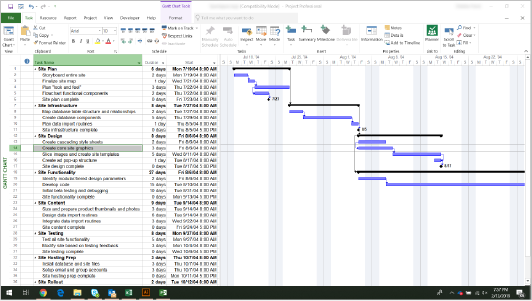
- Using the Gantt Chart View
- Task Path Highlighting (visually trace predecessors/successors)
- Using Combination Views
- Using Team Planner View (drag-and-drop resource assignment)
- Changing the View in a Pane
- Applying a Table to a View
- Printing a View
- Using Resources and Costs
- Creating a Resource
- Working with Resource Calendars
- Adding Resource Costs
- Understanding Cost Calculations
- Assigning Resources to Tasks
- Removing a Resource Assignment
- Changing the Task Type
- Contouring a Work Assignment
- Assigning Fixed Costs
- Applying a Constraint
- Setting a Deadline
- Adjusting the Schedule
- Addressing Resource Overallocation
- Identifying Resource Overallocations
- Viewing the Critical Path
- Viewing Slack
- Shortening the Critical Path
- Working with Baselines
- Working with Baselines
- Using Baseline Tables
- Tracking Your Progress
- Tracking Progress
- Updating Tasks
- Using the Update Task Form
- Using the Tracking Table
- Using the Resource Usage View
- Viewing Slippage
- Entering the Percent Completed
- Entering Actual and Remaining Durations
- Entering Actual Work Values
- Applying Progress Lines
- Working with Reports
- The Project Timeline
- Running Reports
- Printing Reports
- Creating New Reports
- Organizing Reports
- Using Visual Reports
- Using the Organizer
- Working with Multiple Projects
- Working with Consolidated Projects
- The Resource Pool
- Microsoft Project in Today's Ecosystem
- Desktop Project vs. Planner (cloud, formerly Project for the web) — when to use which
- What happened to Project Online (retiring Sept 2026) and what replaces it
- Where AI/Copilot fits today: available in Planner, not yet in desktop Project
- Licensing landscape: Project Standard/Professional 2024 (perpetual) vs. Project Plan 1/3/5 (subscription)
Prerequisites
Before Taking this Class
None.Setup Requirements
Software/Setup For this Class
- Microsoft Windows
- Microsoft Project 2013 or higher (2013, 2016, 2019, or Office 365)
Onsite Training
Do you have five (5) or more people needing this class and want us to deliver it at your location?
Not sure what to expect from a live course?
We’ve gathered practical details about joining, materials, and support in one place.